
What is IP Projects?
IP Projects is your creative project space inside Arcloop. You can create characters, develop storylines, make storyboards, generate videos, and manage images, videos, audio, and assets in one place.
Harry Potter is a good way to think about IP Projects: Hogwarts, the magic system, the main characters, and the overall style all belong to the same world. Each series or major plotline inside that world can be treated as its own story.
In Arcloop, if you want to keep creating around the same characters, style, or world concept, start in IP Projects. Future stories, storyboards, and videos can then continue from the same creative context.
How to create your first project in IP Projects?
- Go to the IP Projects list page.
- Click New Project.
- Fill in the Name.
- Fill in the World Setting.
- Click Save and Enter.
- After saving, return to edit mode to add or replace the Cover.
When creating in IP Projects, you can fill in the name and world setting first. After saving, go back to edit mode to add or replace the cover.
What is a world setting?
The world setting gives the Agent the basic information it needs to understand this project.
It does not need to be a full script, but it should tell the Agent what kind of world the story takes place in, what rules, relationships, and conflicts affect the characters, and what the visuals should feel like.
When writing a world setting, you can include:
- The time period and location of the story
- Key rules or background details of the world
- The main character's identity and situation
- Relationships between characters
- The story's mood and pacing
- Visual style
This information affects how the Agent creates characters, writes stories, designs storyboards, and produces videos later. The clearer the setting, the easier it is for future generations to stay consistent.
Example:
This is a mystery story set in a near-future coastal city. Humans and androids live together, but memory trading has become an underground industry. The main character is a young detective investigating a memory-tampering case, only to discover that her own past may have been rewritten. The overall visual style is cool-toned, cinematic, and slightly cyber-noir.
How to manage multiple projects in IP Projects?
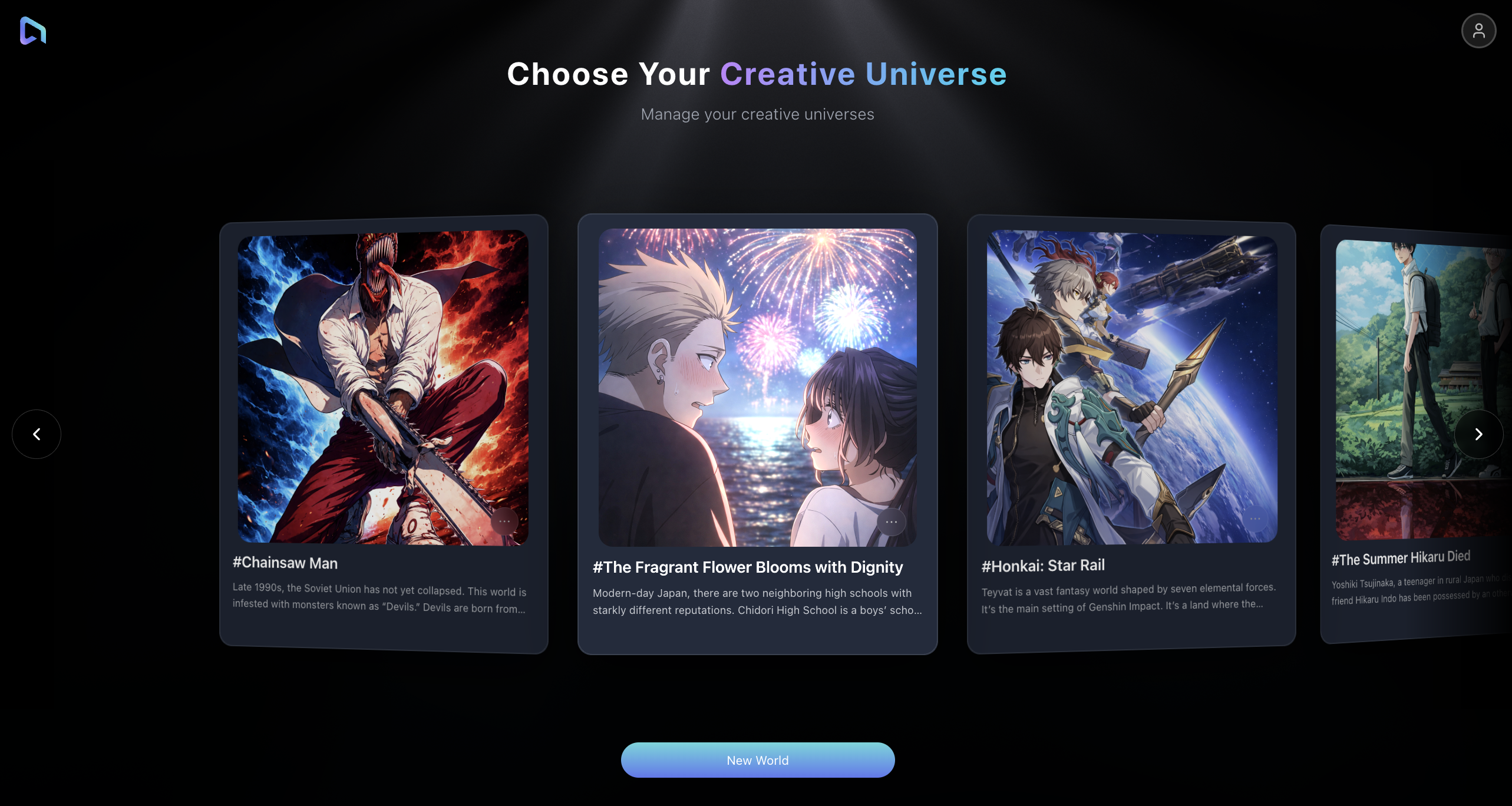
Your projects appear as cards on the list page.
If you have multiple projects, drag the cards left or right to browse them. You can also swipe on a touch device or use the mouse wheel to switch between projects.
Each card shows:
- Project name
- Project cover
- Story count
- Character count
Click a card to enter that project and keep creating.
How to edit a project in IP Projects?
Hover over a project card, click the more menu in the lower-right corner, then choose Edit.
You can update:
- Name
- World Setting
- Cover Image
When you are done, click Save.
If your story direction, visual style, or character setup changes, come back and update the project anytime.
How to delete a project in IP Projects?
Open the more menu on the project card and choose Delete.
Arcloop shows a confirmation window before deleting.
Important: deleting a project also deletes the characters and related data inside that project. This cannot be undone. Only delete it when you are sure you no longer need the project.
What is a template project?
If a card has a Template badge, it is a template project.
Template projects are available for reference or exploration, but you cannot edit or delete them directly. Use them to understand the structure, then create your own project in IP Projects when you are ready.
Ready to bring your ideas to life?
Join Arcloop today and start generating your own stories.